Tools
Wemp
 By
By 微信公众号 AI 助手插件 - 支持客服消息、双Agent模式、图片收发 | WeChat Official Account AI chatbot plugin for OpenClaw
Install
npm install &&Configuration Example
{
  "channels": {
    "wemp": {
      "enabled": true,
      "appId": "wx1234567890abcdef",
      "appSecret": "your_app_secret",
      "token": "your_token",
      "webhookPath": "/wemp"
    }
  }
}
README
# wemp
<p align="center">
<a href="https://github.com/IanShaw027/wemp/releases"><img src="https://img.shields.io/github/v/release/IanShaw027/wemp?style=for-the-badge&color=blue" alt="GitHub Release"></a>
<img src="https://img.shields.io/badge/双Agent-模式-green?style=for-the-badge" alt="Dual Agent">
<img src="https://img.shields.io/badge/TypeScript-5.0+-blue?style=for-the-badge&logo=typescript&logoColor=white" alt="TypeScript">
<a href="https://github.com/IanShaw027/wemp/blob/main/LICENSE"><img src="https://img.shields.io/github/license/IanShaw027/wemp?style=for-the-badge&color=green" alt="License"></a>
</p>
<p align="center">
<a href="https://github.com/IanShaw027/wemp/stargazers"><img src="https://img.shields.io/github/stars/IanShaw027/wemp?style=flat-square&logo=github" alt="GitHub stars"></a>
<a href="https://github.com/IanShaw027/wemp/network/members"><img src="https://img.shields.io/github/forks/IanShaw027/wemp?style=flat-square&logo=github" alt="GitHub forks"></a>
<a href="https://github.com/IanShaw027/wemp/issues"><img src="https://img.shields.io/github/issues/IanShaw027/wemp?style=flat-square" alt="GitHub issues"></a>
<img src="https://img.shields.io/badge/Node.js-18+-43853D?style=flat-square&logo=node.js&logoColor=white" alt="Node.js">
<img src="https://img.shields.io/badge/OpenClaw-2026.1+-FF6B6B?style=flat-square" alt="OpenClaw">
</p>
<p align="center">
微信公众号 AI 助手插件 - 支持客服消息、双 Agent 模式、图片收发<br>
WeChat Official Account AI chatbot plugin for OpenClaw
</p>
## ✨ 功能特性
- 📨 **消息收发** - 支持文本、语音(含识别)、图片消息
- 🤖 **双 Agent 模式** - 未配对用户走客服 Agent,配对用户走完整 Agent
- 🔗 **跨渠道配对** - 通过 Telegram、飞书等渠道配对解锁完整功能
- 🔐 **安全模式** - 支持明文和 AES 加密两种模式
- 📋 **自定义菜单** - 支持菜单管理和 AI 助手开关
- ⚡ **客服消息接口** - 无 5 秒超时限制,长消息自动分段
## 🏗️ 架构
```text
┌─────────────────────────────────────────────────────────────────┐
│ 微信公众号 │
└─────────────────────────────────────────────────────────────────┘
│
▼
┌─────────────────────────────────────────────────────────────────┐
│ wemp 插件 │
│ ┌─────────────┐ ┌─────────────┐ ┌─────────────┐ │
│ │ Webhook │ │ 配对管理 │ │ 菜单管理 │ │
│ │ 消息接收 │ │ 跨渠道绑定 │ │ AI开关 │ │
│ └─────────────┘ └─────────────┘ └─────────────┘ │
└─────────────────────────────────────────────────────────────────┘
│
┌───────────────┴───────────────┐
▼ ▼
┌─────────────────────┐ ┌─────────────────────┐
│ wemp-cs (客服) │ │ main (完整) │
│ 未配对用户 │ │ 已配对用户 │
│ 功能受限 │ │ 完整权限 │
└─────────────────────┘ └─────────────────────┘
```
## 📦 安装
```bash
# 进入 extensions 目录
cd ~/.openclaw/extensions
# 克隆项目
git clone https://github.com/IanShaw027/wemp.git wemp
# 安装依赖并编译
cd wemp && npm install && npm run build
# 重启 Gateway 加载插件
openclaw gateway restart
```
## ⚙️ 配置
### 方式一:交互式配置(推荐)
```bash
openclaw configure --section channels
# 选择 wemp,按提示输入配置
```
### 方式二:手动编辑
编辑 `~/.openclaw/openclaw.json`:
```json
{
"channels": {
"wemp": {
"enabled": true,
"appId": "wx1234567890abcdef",
"appSecret": "your_app_secret",
"token": "your_token",
"webhookPath": "/wemp"
}
}
}
```
### 微信公众号后台
1. 登录 [微信公众平台](https://mp.weixin.qq.com) → 设置与开发 → 基本配置 → 服务器配置
2. 配置:
- **URL**: `https://YOUR_DOMAIN/wemp`(必须 HTTPS)
- **Token**: 与配置一致
3. 配置 IP 白名单,启用服务器配置
## 🔐 双 Agent 模式
| 用户状态 | Agent | 工具权限 | 说明 |
|----------|-------|----------|------|
| 未配对 | `wemp-cs` | 受限 | 面向公众的基础问答 |
| 已配对 | `main` | 完整 | 授权用户完整功能 |
### 配对流程
```text
用户 (公众号) 管理员 (Telegram)
│ │
│ 发送「配对」 │
▼ │
┌─────────────┐ │
│ 返回配对码 │ │
│ (1小时有效) │ │
└─────────────┘ │
│ │
│ ─────── 告知配对码 ──────────→ │
│ │
│ 发送 /pair wemp <配对码>
│ ▼
│ ┌─────────────┐
│ ←─────── 通知 ─────── │ 配对成功 │
▼ └─────────────┘
┌─────────────┐
│ 获得完整权限│
└─────────────┘
```
说明:
- 配对码由 OpenClaw pairing-store 生成(通常为 8 位大写字母/数字),有效期 1 小时。
- 管理员也可以在服务器上直接执行:`openclaw pairing approve wemp <code> --notify`
### 用户命令
| 命令 | 说明 |
|------|------|
| `配对` / `绑定` | 获取配对码 |
| `解除配对` / `取消绑定` | 解除绑定(本地生效:切回客服模式) |
| `状态` / `/status` | 查看配对状态 |
<details>
<summary><b>配对配置详情</b></summary>
```json
{
"channels": {
"wemp": {
"agentPaired": "main",
"agentUnpaired": "wemp-cs",
"pairingApiToken": "your-secure-random-token"
}
}
}
```
| 配置项 | 说明 |
|--------|------|
| `agentPaired` | 已配对用户使用的 Agent ID |
| `agentUnpaired` | 未配对用户使用的 Agent ID |
| `pairingApiToken` | 配对 API Token |
> **注意**:只要是主会话的授权用户就可以使用 `/pair wemp <配对码>` 命令进行配对批准。
</details>
## 📋 自定义菜单
默认菜单结构:
```text
├─ 内容
│ ├─ 历史文章
│ └─ 访问官网
├─ AI助手
│ ├─ 开启AI助手
│ ├─ 关闭AI助手
│ ├─ 新对话
│ ├─ 清除上下文
│ └─ 使用统计
└─ 更多
├─ 撤销上条
├─ 模型信息
└─ 使用统计
```
### 菜单自动同步
设置 `syncMenu: true` 后,每次 Gateway 重启时会自动同步菜单:
```json
{
"channels": {
"wemp": {
"syncMenu": true
}
}
}
```
**同步逻辑:**
- 读取微信后台已有的菜单
- 自动追加「AI助手」菜单
- ⚠️ **注意**:微信最多支持 3 个一级菜单,如果后台已有 3 个菜单,**第三个会被「AI助手」替换**
- 建议在微信后台只保留 **2 个**一级菜单,让插件自动追加 AI 助手
### 菜单管理命令
在 Telegram 等渠道使用:
| 命令 | 说明 |
|------|------|
| `/wemp-menu create` | 创建菜单(从配置读取或使用默认) |
| `/wemp-menu delete` | 删除自定义菜单 |
| `/wemp-menu get` | 查看当前菜单配置 |
### 完全自定义菜单
如需完全自定义菜单结构,可在配置中指定:
```json
{
"channels": {
"wemp": {
"menu": {
"button": [
{
"name": "菜单一",
"sub_button": [
{ "type": "click", "name": "按钮1", "key": "KEY_1" },
{ "type": "view", "name": "链接", "url": "https://example.com" }
]
}
]
}
}
}
}
```
## 🤖 AI 助手开关
AI 助手**默认关闭**,用户需要通过菜单「AI助手」→「开启AI助手」手动开启。
- 关闭状态下,用户发送的消息不会被处理
- 可配置关闭状态下的提示消息(`aiDisabledHint`)
- 设为空字符串可禁用提示
```json
{
"channels": {
"wemp": {
"aiEnabledMessage": "AI 助手已开启,有什么可以帮你的?",
"aiDisabledMessage": "AI 助手已关闭。",
"aiDisabledHint": "AI 助手当前已关闭,请点击菜单开启。"
}
}
}
```
## 📊 使用限制
可为未配对用户设置每日使用限制(配对用户不受限制):
```json
{
"channels": {
"wemp": {
"usageLimit": {
"dailyMessages": 100,
"dailyTokens": 100000
}
}
}
}
```
| 配置项 | 说明 |
|--------|------|
| `dailyMessages` | 每日消息数上限(0 = 无限制) |
| `dailyTokens` | 每日 Token 上限(0 = 无限制) |
用户可通过菜单「使用统计」查看当前使用情况。
<details>
<summary><b>完整配置项</b></summary>
| 配置项 | 类型 | 必填 | 说明 |
|--------|------|:----:|------|
| `appId` | string | ✅ | 公众号 AppID |
| `appSecret` | string | ✅ | AppSecret |
| `token` | string | ✅ | 服务器配置 Token |
| `encodingAESKey` | string | | 消息加解密密钥(安全模式) |
| `webhookPath` | string | | Webhook 路径,默认 `/wemp` |
| `syncMenu` | boolean | | 启动时自动同步菜单(默认 false) |
| `welcomeMessage` | string | | 关注后的欢迎消息 |
| `aiEnabledMessage` | string | | AI 助手开启提示 |
| `aiDisabledMessage` | string | | AI 助手关闭提示 |
| `aiDisabledHint` | string | | AI 关闭时收到消息的提示(空字符串禁用) |
| `usageLimit.dailyMessages` | number | | 每日消息上限 |
| `usageLimit.dailyTokens` | number | | 每日 Token 上限 |
| `articlesUrl` | string | | 历史文章链接 |
| `websiteUrl` | string | | 官网链接 |
| `contactInfo` | string | | 联系信息 |
| `agentPaired` | string | | 已配对用户使用的 Agent ID |
| `agentUnpaired` | string | | 未配对用户使用的 Agent ID |
| `pairingApiToken` | string | | 配对 API Token |
</details>
## 🔧 扩展 API
插件提供丰富的微信公众号 API,可在 Skill 中调用:
| 模块 | 功能 |
|------|------|
| **草稿管理** | 创建、编辑、删除草稿 |
| **发布管理** | 发布文章、查询状态 |
| **数据统计** | 用户增长、阅读数据、消息统计 |
| **用户管理** | 获取用户信息、标签管理、黑名单 |
| **评论管理** | 查看评论、精选、回复、删除 |
| **模板消息** | 发送模板消息 |
| **群发消息** | 按标签/OpenID 群发 |
| **二维码** | 生成带参数二维码 |
| **OCR** | 身份证、营业执照、银行卡识别 |
| **AI 能力** | 翻译、图片裁剪、超分辨率 |
## 🚀 配套 Skill: wemp-operator
[wemp-operator](https://github.com/IanShaw027/wemp-operator) 是配套的公众号运营 Skill,提供内容采集、数据分析、互动管理等自动化功能。
### 功能
| 功能 | 说明 |
|------|------|
| 📝 **内容采集** | 从 20+ 数据源智能采集热点(HN、V2EX、36Kr、微博等) |
| 📊 **数据分析** | 自动生成日报/周报,包含用户增长、阅读数据、AI 洞察 |
| 💬 **互动管理** | 评论检查、智能回复建议、批量精选 |
### 安装
```bash
git clone https://github.com/IanShaw027/wemp-operator.git ~/.openclaw/skills/wemp-operator
```
### 使用
安装后直接用自然语言与 OpenClaw 对话:
```text
帮我采集今天的 AI 热点
生成公众号日报
检查公众号新评论
```
**触发词:** 采集热点、公众号日报、周报、检查评论、回复评论、生成文章
详细文档见 [wemp-operator README](https://github.com/IanShaw027/wemp-operator)
---
## 📁 项目结构
```text
wemp/
├── index.ts # 入口文件
├── src/
│ ├── api.ts # 微信 API 封装
│ ├── channel.ts # Channel Plugin 定义
│ ├── config.ts # 配置解析
│ ├── crypto.ts # 消息加解密(AES)
│ ├── pairing.ts # 配对功能
│ └── webhook-handler.ts # Webhook 处理
├── openclaw.plugin.json
└── package.json
```
## ⚠️ 注意事项
- **服务号要求** - 客服消息接口需要认证的服务号
- **48 小时限制** - 用户 48 小时内有互动才能发送客服消息
- **IP 白名单** - 需在公众号后台配置服务器 IP
- **HTTPS 必须** - 微信要求服务器配置 URL 必须是 HTTPS
## 🗺️ 路线图
- [x] 基础消息收发
- [x] 客服消息接口
- [x] 安全模式(AES 加密)
- [x] 双 Agent 模式
- [x] 跨渠道配对
- [x] 图片消息收发
- [x] 自定义菜单
- [x] AI 助手开关
- [ ] 模板消息支持
- [ ] 多账号支持
## 🤝 贡献
```bash
git clone https://github.com/IanShaw027/wemp.git
cd wemp
npm install
npm run dev # 监听模式
```
## 📜 许可证
[MIT License](LICENSE)
## 🔗 相关链接
| 资源 | 链接 |
|------|------|
| OpenClaw 部署指南 | [腾讯云一键部署](https://cloud.tencent.com/developer/article/2624003) |
| 微信公众平台 | [mp.weixin.qq.com](https://mp.weixin.qq.com) |
| 微信开发文档 | [developers.weixin.qq.com](https://developers.weixin.qq.com/doc/offiaccount/Getting_Started/Overview.html) |
## ⭐ Star History
[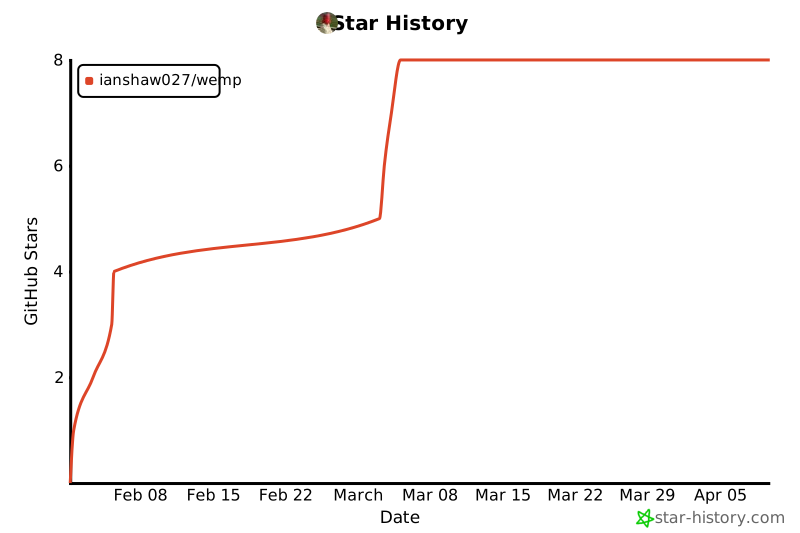](https://star-history.com/#IanShaw027/wemp&Date)
---
<p align="center
... (truncated)
tools



Comments
Sign in to leave a comment