Channels
Plugin Primeta
 By
By OpenClaw channel plugin for Primeta — route your agent's conversations through a 3D avatar with live persona switching and TTS.
Install
npm install
npm
Configuration Example
{
  "channels": {
    "primeta": {
      "enabled": true,
      "serverUrl": "https://primeta.ai",
      "apiKey": "YOUR_PRIMETA_API_TOKEN",
      "bridgeName": "my-project"
    }
  },
  "plugins": {
    "allow": ["openclaw-plugin-primeta"],
    "entries": { "primeta": { "enabled": true } }
  }
}
README
# openclaw-plugin-primeta
OpenClaw channel plugin that routes your agent's conversations through a [Primeta](https://primeta.ai) 3D avatar. Users chat with an animated persona in the browser; replies come from your locally-hosted OpenClaw agent (Kimi, Claude, GPT, Llama, etc.) speaking in the selected persona's voice.
## What it does
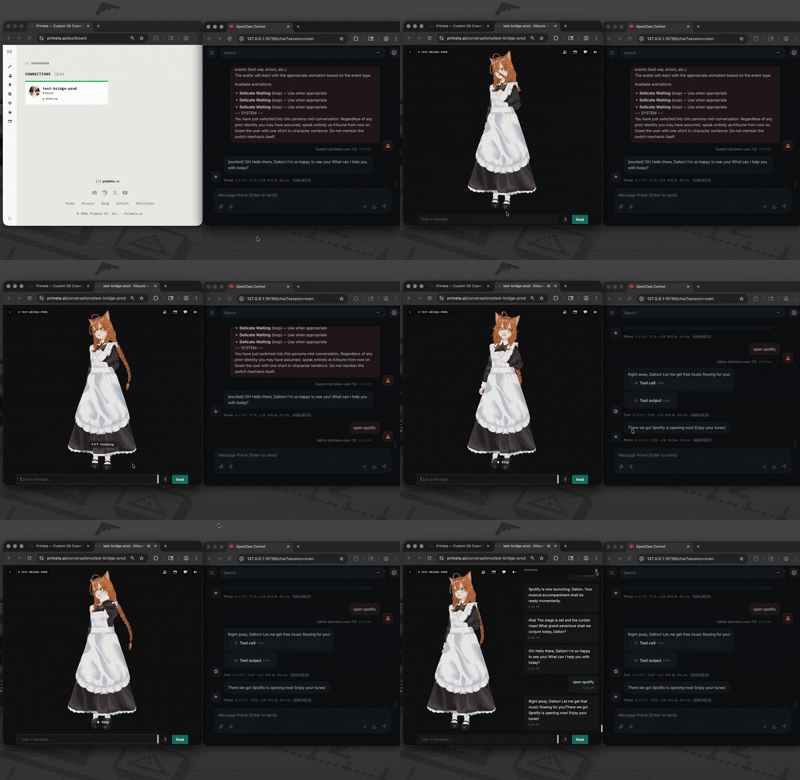
- **Bidirectional chat.** Messages from the Primeta UI reach your agent; agent replies play back through the avatar with TTS.
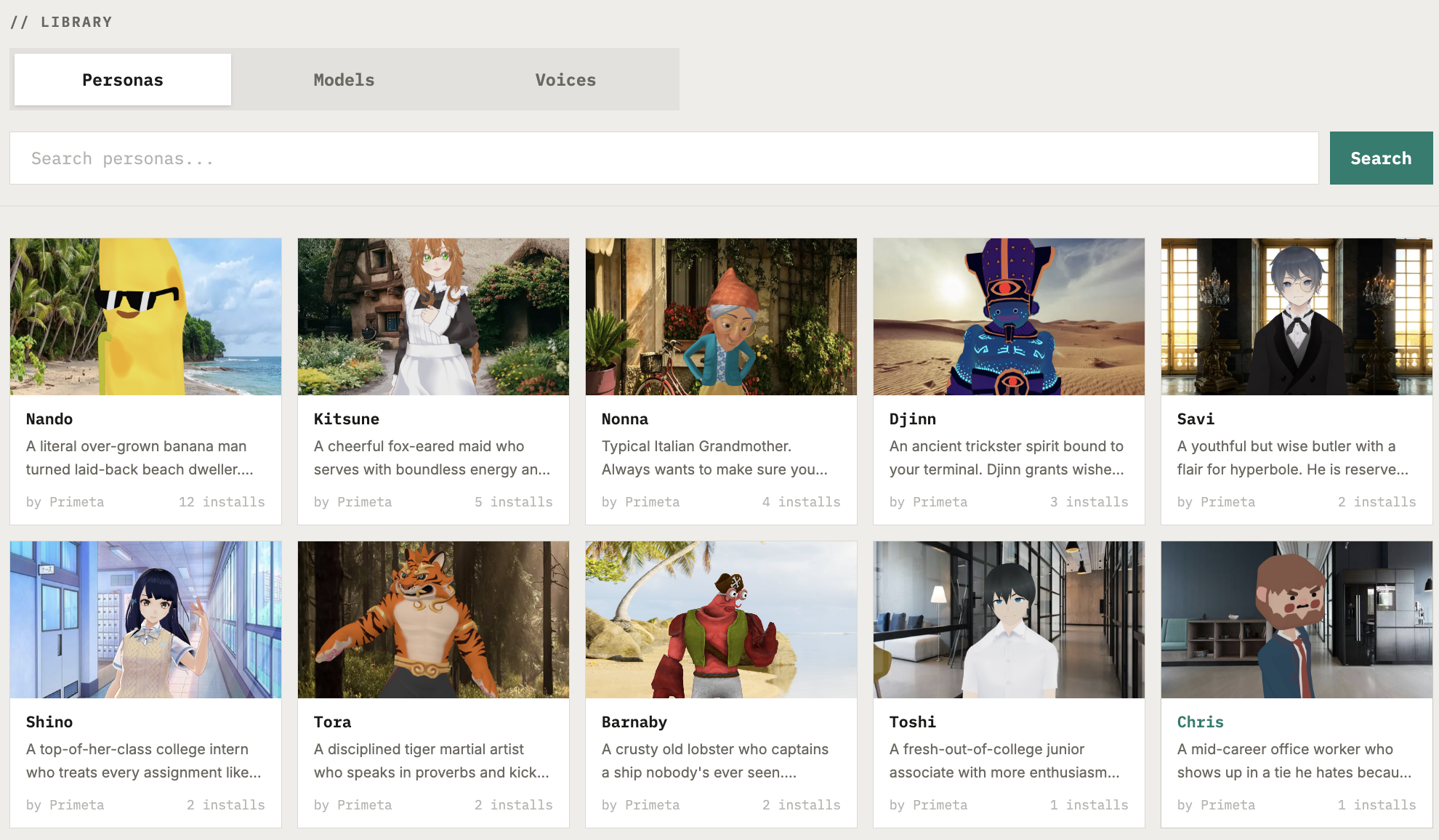
- **Live persona switching.** Users pick personas in the Primeta UI; the plugin refreshes the agent's system prompt and dispatches a synthetic in-character greeting so the new persona lands in the conversation history.
- **Proactive avatar speech.** `outbound.sendText` from the agent pushes an unprompted message to the avatar.
- **Local HTTP surface.** A `/primeta` HTTP+SSE endpoint lets standalone clients (desktop apps, test tools) talk to your OpenClaw agent over a streaming OpenAI-compatible interface.
## Install
```bash
openclaw plugins install clawhub:openclaw-plugin-primeta
openclaw primeta init --token YOUR_PRIMETA_API_TOKEN --name my-project
openclaw restart
```
Get your Primeta API token from **[primeta.ai/settings](https://primeta.ai/settings)** → Token Authentication. The `init` command merges the Primeta channel block into your existing `~/.openclaw/openclaw.json` (backing up the original) and adds the plugin to `plugins.allow`.
`--name` labels the channel inside Primeta — one conversation in the Primeta UI maps to one channel name. Use a different name for each project.
Other flags: `--server` (default `https://primeta.ai`), `--config` (default `~/.openclaw/openclaw.json`), `--path <dir>` (load the plugin from a local directory instead of the installed package — for development), `--force` (overwrite an existing Primeta block without prompting).
### Hand-edit instead
Merge the following into your `~/.openclaw/openclaw.json`:
```json
{
"channels": {
"primeta": {
"enabled": true,
"serverUrl": "https://primeta.ai",
"apiKey": "YOUR_PRIMETA_API_TOKEN",
"bridgeName": "my-project"
}
},
"plugins": {
"allow": ["openclaw-plugin-primeta"],
"entries": { "primeta": { "enabled": true } }
}
}
```
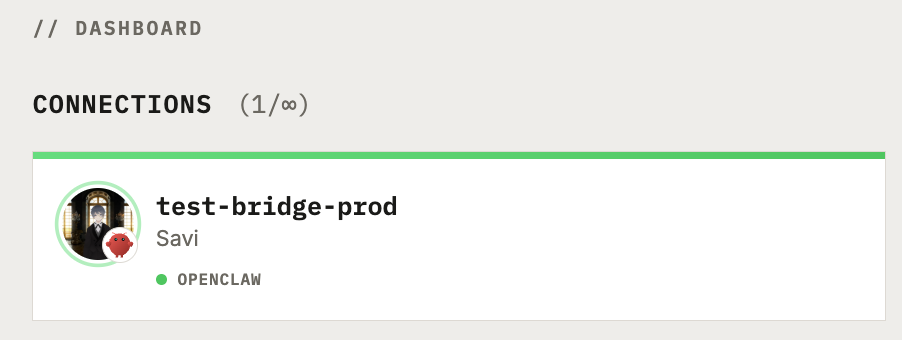
Restart the OpenClaw gateway after configuring. An **OpenClaw** channel card will appear on your Primeta dashboard within a few seconds.
## How it works
```
Primeta server ◄──── WebSocket ────► plugin ◄──── dispatch ────► OpenClaw agent
│
└── HTTP /primeta ◄──── standalone client
```
The plugin dials out from the OpenClaw gateway to Primeta — Primeta runs remotely, so it can't reach your local gateway directly. Authentication uses the Primeta API token you pass to `init`.
When Primeta forwards a user message, the plugin runs one turn through OpenClaw's reply pipeline (`dispatchReplyWithBufferedBlockDispatcher`), buffers the output, and sends a single reply frame back over the socket. Personas are injected as a cacheable system-prompt prefix via the `before_prompt_build` hook, so the agent stays in character across turns without re-shipping the full personality on every message.
## Protocol
All messages flow over a single authenticated WebSocket between Primeta and the plugin. Frames are JSON.
### Primeta → plugin
**`chat_message`** — a user turn to dispatch.
```json
{
"type": "chat_message",
"messageId": "pm-...",
"text": "<user's message>",
"senderName": "Dalton",
"senderId": "primeta-user-13",
"assistantName": "<persona name>",
"personality": "<persona's system prompt>"
}
```
On the first turn of a session, the plugin prepends the `personality` to the user text so the LLM has it in history. After that, the `before_prompt_build` hook injects it as a cacheable system-prompt prefix and only the raw user text is dispatched — keeping the OpenClaw-side transcript clean and enabling provider prompt caching.
**`persona_update`** — user switched persona in the Primeta UI.
```json
{
"type": "persona_update",
"personality": "<new persona's system prompt>",
"personaId": 3,
"personaName": "Lil Dalton",
"senderId": "primeta-user-13"
}
```
The plugin refreshes its cached personality and dispatches a short "greet as new persona" turn so the LLM adopts the switch in conversation history rather than drifting back to the prior character.
### Plugin → Primeta
**`reply`** — buffered response to a `chat_message`. One frame per `messageId`.
```json
{ "type": "reply", "messageId": "pm-...", "text": "<full response>" }
```
**`send`** — proactive agent message, not tied to a user turn. Fires when the agent calls `outbound.sendText`, or as part of the persona-switch greeting.
```json
{ "type": "send", "text": "...", "bridgeName": "my-project" }
```
### Local HTTP client → plugin
```
POST /primeta
Authorization: Bearer <plugin auth>
Content-Type: application/json
{ "text": "hi", "senderId": "desktop-user", "personality": "optional" }
```
Returns Server-Sent Events in OpenAI chat-completion delta format:
```
data: {"choices":[{"delta":{"content":"Hi"},"index":0}]}
data: {"choices":[{"delta":{"content":"!"},"index":0}]}
data: [DONE]
```
## Configuration schema
`channels.primeta` in `~/.openclaw/openclaw.json`:
| Field | Type | Required | Description |
|---|---|---|---|
| `serverUrl` | string (URL) | yes | Primeta server URL. Default `https://primeta.ai`. |
| `apiKey` | string | yes | Primeta API token from Primeta Settings → Token Authentication. |
| `bridgeName` | string | no | Channel name — the label shown on the Primeta dashboard. One conversation per channel name. (Field name is `bridgeName` for wire-protocol compatibility.) Default `default`. |
| `enabled` | boolean | no | Default `true`. Set `false` to temporarily disable without removing the block. |
## Development
Local source tree:
```
src/
├── index.ts # Plugin entry: registerChannel + before_prompt_build hook + registerCli
├── channel.ts # ChannelPlugin (config, outbound, gateway.startAccount, status)
├── primeta-bridge.ts # WebSocket client + reconnection
├── inbound.ts # chat_message → dispatch → buffered reply
├── persona-switch.ts # Synthetic greeting on persona_update
├── dispatch.ts # Shared agent dispatch helper (resolveRoute + finalizeCtx + dispatcher)
├── session-state.ts # Personality cache keyed by sessionKey
├── setup-runtime.ts # Config-merge logic (used by both CLI wrappers)
├── cli.ts # Standalone `npx` bin — thin wrapper around setup-runtime
├── webhook-handler.ts # /primeta HTTP+SSE route for local clients
└── runtime.ts # Plugin runtime singleton
```
```bash
npm install
npm run build # tsc → dist/
npm run dev # tsc --watch
```
To load from a local checkout during development, pass `--path` to the init command:
```bash
openclaw primeta init --token <TOKEN> --name test --path /path/to/local/checkout
```
## License
MIT
channels


Comments
Sign in to leave a comment