Tools
Dashboard Plus
 By
By OpenClaw Dashboard enhancement extension plugin. Supports 简体中文, English, 繁體中文, 日本語, 한국어, Français, Español, Русский, Deutsch, Tiếng Việt, Filipino, العربية
README
<p align="center">
<img src="./icon.png" alt="OpenClaw Dashboard Plus icon" width="160">
</p>
# OpenClaw Dashboard Plus
<p align="center">A browser extension focused on multilingual support for the OpenClaw WebUI, with UI repairs, theme polish, font controls, and fast chat progress jumping.</p>
<p align="center"><a><img src="https://img.shields.io/badge/OpenClaw-2026.3.2%2B-ff6b57" alt="OpenClaw compatibility"></a>
<a href="https://github.com/Cloud-11/openclaw-dashboard-plus/releases"><img src="https://img.shields.io/github/v/release/Cloud-11/openclaw-dashboard-plus?display_name=tag" alt="Latest release"></a>
<a href="https://github.com/Cloud-11/openclaw-dashboard-plus/stargazers"><img src="https://img.shields.io/github/stars/Cloud-11/openclaw-dashboard-plus?style=flat" alt="GitHub stars"></a>
<a href="https://github.com/Cloud-11/openclaw-dashboard-plus/issues"><img src="https://img.shields.io/github/issues/Cloud-11/openclaw-dashboard-plus" alt="GitHub issues"></a>
<a href="./LICENSE"><img src="https://img.shields.io/github/license/Cloud-11/openclaw-dashboard-plus" alt="License"></a>
</p>
[English](./README.md) | [简体中文](./docs/readme/README.zh-CN.md) | [繁體中文](./docs/readme/README.zh-TW.md) | [日本語](./docs/readme/README.ja.md) | [한국어](./docs/readme/README.ko.md) | [Français](./docs/readme/README.fr.md) | [Español](./docs/readme/README.es.md) | [Русский](./docs/readme/README.ru.md) | [Deutsch](./docs/readme/README.de.md) | [Tiếng Việt](./docs/readme/README.vi.md) | [Filipino](./docs/readme/README.fil.md) | [العربية](./docs/readme/README.ar.md)
## Preview
<table>
<tr>
<td width="50%">
<img src="./image5.png" alt="OpenClaw WebUI with theme polish and chat progress rail">
<p><strong>OpenClaw WebUI enhancement</strong><br>Theme polish, repaired surfaces, and quick progress jumping for long chats.</p>
</td>
<td width="50%">
<img src="./image3.png" alt="Popup theme preset selector">
<p><strong>Theme palette and style presets</strong><br>Switch color palettes and UI styles without editing OpenClaw itself.</p>
</td>
</tr>
<tr>
<td width="50%">
<img src="./image4.png" alt="Popup repair toggles">
<p><strong>UI repair controls</strong><br>Fix dropdowns, code blocks, borders, spacing, and other rough edges with one click.</p>
</td>
<td width="50%">
<img src="./image.png" alt="Popup language and runtime settings">
<p><strong>Language and runtime control</strong><br>Manage WebUI language packs, popup locale, host filters, and sync sources.</p>
</td>
</tr>
</table>
## Why This Extension
- Bring multilingual support directly to the OpenClaw WebUI, not just the extension popup.
- Ship built-in locale packs and allow remote refresh from GitHub or Gitee.
- Repair rough UI details in cards, inputs, dropdowns, spacing, focus states, and code blocks.
- Add theme palette, UI style, font, and font scale controls for a more polished OpenClaw experience.
- Add a chat progress rail so long conversations can be jumped through quickly.
- Keep remote-delivered assets limited to metadata, locale JSON, CSS, HTML, and JSON style bundles only.
## Core Features
- OpenClaw WebUI language packs: built-in support for `zh-CN`, `en`, `zh-TW`, `ja`, `ko`, `fr`, `es`, `ru`, `de`, `vi`, `fil`, and `ar`.
- Popup UI localization: the extension popup can also follow the user's language preference, but this is a secondary convenience feature.
- Theme polish: switch palette presets, UI style presets, fonts, and font size from the popup.
- UI repair toggles: enable style override, style repair, select styling repair, and code block repair independently.
- Fast navigation: enable the chat progress rail to jump to different parts of a long conversation.
- Remote sync: refresh metadata, locale packs, theme presets, and style modules without rebuilding the extension.
## Install
Recommended: [Download ZIP package](https://github.com/Cloud-11/openclaw-dashboard-plus/releases/latest/download/openclaw-dashboard-plus-extension.zip)
1. Download the ZIP package from GitHub Releases.
2. Extract it to a stable local folder.
3. Open `chrome://extensions` or `edge://extensions`.
4. Enable Developer mode.
5. Click `Load unpacked`.
6. Select the extracted folder.
7. Open your OpenClaw WebUI, for example `http://127.0.0.1:18789`.
## Getting Started
1. Open the extension popup on your OpenClaw page.
2. In `Settings`, enable translation and set allowed hosts or ports if needed.
3. In `Languages`, choose the OpenClaw WebUI language and apply or refresh locale packs.
4. In `Features`, choose a palette, UI style, font, and font scale.
5. Turn on the repair toggles you want for dropdowns, code blocks, spacing, and overall component polish.
6. Save runtime settings or theme settings after changes.
## Build
Build is only needed if you want to modify the source, test local changes, or produce fresh distribution files.
Prerequisites:
- Node.js 22 is the reference runtime used by the GitHub Actions workflow.
- PowerShell is required for `package-extension-zip.mjs`.
- Chrome or Edge is required for `package-crx.mjs`.
Commands:
1. Build the unpacked extension:
`node build-extension.mjs`
2. Package the release ZIP:
`node package-extension-zip.mjs`
3. Optionally package a local CRX:
`node package-crx.mjs`
Outputs:
- `dist/extension/`: generated unpacked browser extension
- `dist/openclaw-dashboard-plus-extension.zip`: packaged ZIP for distribution
- `dist/openclaw-dashboard-plus.crx`: optional local CRX build
## Project Layout
- `extension-src/`: popup UI, content logic, icons, theme presets, and style bundles
- `extension-src/style-modules/`: modular CSS and JSON assets, including the chat progress rail and repair modules
- `language-packs/`: OpenClaw WebUI locale packs
- `ui-locales/`: popup UI locale strings
- `plugin-metadata.json`: version, compatibility, locale, theme, and remote source metadata
- `build-extension.mjs`: generates `dist/extension/`
- `package-extension-zip.mjs`: packages the extension ZIP
- `dist/extension/`: ready-to-load build artifact
## GitHub Actions
The repository includes a Windows-based GitHub Actions workflow that:
- Builds `dist/extension/`
- Packages `dist/openclaw-dashboard-plus-extension.zip`
- Uploads both the ZIP archive and unpacked extension as workflow artifacts
- Creates a version tag from `plugin-metadata.json`
- Publishes a GitHub Release for tagged versions
## Star History
[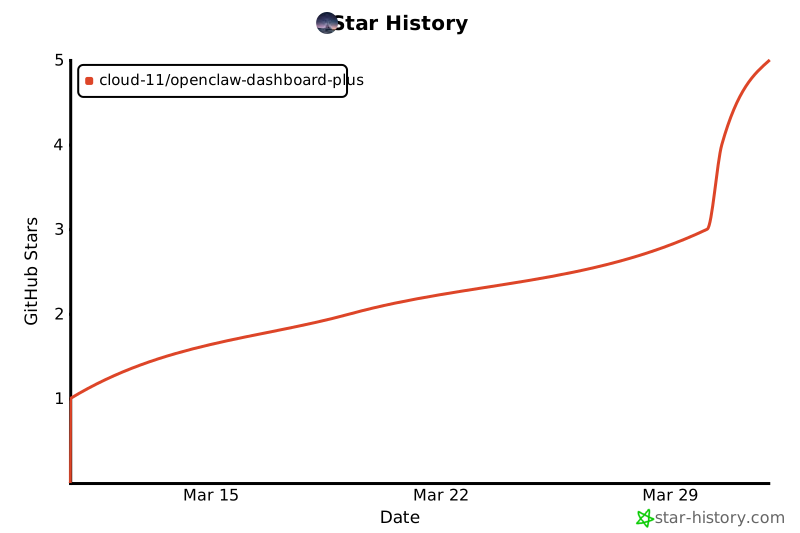](https://star-history.com/#Cloud-11/openclaw-dashboard-plus&Date)
## Pull Requests
- Make source changes in `extension-src/`, locale files, metadata, or build scripts instead of manually editing `dist/extension/`.
- Keep remote-delivered assets limited to HTML, CSS, and JSON payloads. Do not add remote JavaScript execution paths.
- Include screenshots when changing popup UI, OpenClaw styling, or interaction repairs.
- Run the relevant build step before opening a PR and mention the verification result.
- Update the English README first for user-facing behavior changes, then sync localized docs as needed.
## License
This project is released under the [MIT License](./LICENSE).
tools



Comments
Sign in to leave a comment