Productivity
ClawLink
 By Hithesh Jayawardana
Connect Gmail, Notion, Slack, GitHub, Google Docs, Sheets, Calendar, HubSpot, Shopify, and more through one hosted OpenClaw plugin
Install
openclaw plugins install clawhub:clawlink-pluginREADME
# ClawLink - OpenClaw and Hermes integrations for real apps
<img width="100" height="100" alt="link_logo_black" src="https://github.com/user-attachments/assets/559e1dc7-9702-46fc-ba73-c227299517ca" />
[](https://scorecard.dev/viewer/?uri=github.com/ClawLink-HQ/clawlink)
[](https://www.npmjs.com/package/@useclawlink/openclaw-plugin)
[](LICENSE)
**OpenClaw plugin. Hermes setup. One-click app connections.**
ClawLink is an open-source integration platform and hosted connection layer for [OpenClaw](https://github.com/openclaw/openclaw), [Hermes](https://hermes-agent.nousresearch.com/), and similar AI agent workflows. It gives your agent one-click access to 100+ real apps and APIs including Gmail, Google Drive, Outlook, Slack, GitHub, Apollo, Notion, Shopify, and Stripe.
Use ClawLink when you want OpenClaw or Hermes to send email, read inboxes, create GitHub issues, update CRMs, manage docs, or trigger app workflows without building custom OAuth flows, token refresh logic, or provider-specific integration glue.
- **Website:** [claw-link.dev](https://claw-link.dev)
- **Docs:** [docs.claw-link.dev](https://docs.claw-link.dev)
- **Verify:** [claw-link.dev/verify](https://claw-link.dev/verify)
<div align="center">
<h3>1. Copy the instruction prompt to your OpenClaw/Hermes agent</h3>
<img src="https://github.com/user-attachments/assets/676b3179-8288-4421-b24c-c323eb5809a5" width="800" />
<br><br>
<h3>2. Create an account and pair</h3>
<img src="https://github.com/user-attachments/assets/4711f4e2-51ef-4775-91b2-dffbd15cc07b" width="800" />
<br><br>
<h3>3. Connect the app you want, literally from a 100+ app list</h3>
<img src="https://github.com/user-attachments/assets/924fc6c7-e1c6-46ae-b521-fc008bdab759" width="800" />
</div>
<p align="left">
<a href="https://x.com/clawlinkdev">X / Twitter</a> ·
<a href="https://discord.gg/KjN3xcTvw4">Discord</a> ·
<a href="https://www.linkedin.com/company/claw-link/">LinkedIn</a>
</p>
---
## Why ClawLink?
Managing OAuth apps, refreshing tokens, and storing API credentials securely is a pain — especially when you just want your AI agent to send an email or create a GitHub issue.
ClawLink handles the messy parts so you don't have to:
- **One-click OAuth** — connect Gmail, Slack, Notion, and dozens more without writing provider-specific auth code
- **Managed credentials** — ClawLink stores provider OAuth tokens and API keys encrypted at rest, then uses them only to execute and maintain the integrations you authorize
- **Request logs** — see every API call, success, failure, and latency from the dashboard
- **Built-in reliability** — rate limiting, retries, and edge caching included
- **Clear pricing** — 30-day free trial for new accounts; ClawLink Activate is $4.99/month for the full integration catalog
## What this repo is for
This repository contains the ClawLink web app, the OpenClaw plugin package, hosted pairing flows, integration catalog, and deployment code.
If you are searching GitHub for:
- OpenClaw integrations
- Hermes integrations
- AI agent OAuth
- hosted OAuth for AI agents
- OpenClaw Gmail plugin
- OpenClaw GitHub plugin
- Composio alternative for OpenClaw
this is the main source repository for ClawLink.
## Get started
### OpenClaw
1. **Install** the plugin:
```bash
openclaw plugins install @useclawlink/openclaw-plugin
```
2. **Pair** ClawLink with your OpenClaw device:
- ask OpenClaw to set up ClawLink or start pairing
- if the plugin was just installed and the tools aren't visible yet, start a fresh chat and ask again
3. **Approve** the pairing prompt in your browser
4. **Connect** an integration in the [ClawLink dashboard](https://claw-link.dev/dashboard) and start using it
### Hermes
1. **Copy** the Hermes setup prompt from the [Install page](https://claw-link.dev/dashboard/install)
2. **Paste** it into a Hermes chat — Hermes will install the plugin and walk through setup
3. **Approve** the link Hermes gives you in your browser
4. **Connect** an integration in the [ClawLink dashboard](https://claw-link.dev/dashboard) and start using it
Then just ask your agent to do things:
- "Send an email to [email protected]"
- "Create a Slack message in #general"
- "Add a row to my Google Sheet"
- "Create a new GitHub issue"
## Supported integrations
| Category | Integrations |
|---|---|
| Communication | Gmail, Outlook, Slack, Discord, Microsoft Teams, Telegram |
| CRM & Sales | Apollo, HubSpot, Salesforce, Pipedrive |
| Content & CMS | WordPress, Webflow, Ghost, Contentful |
| Social Media | YouTube, Twitter/X, LinkedIn, Instagram |
| Productivity | Google Sheets, Google Calendar, Google Drive, Notion, Airtable, Todoist |
| Developer Tools | GitHub, GitLab, Jira, Linear, Vercel |
| Payments & Finance | Stripe, PayPal, QuickBooks |
| Data & Analytics | Google Analytics, Mixpanel, Segment |
| Storage & Databases | AWS S3, Supabase, Firebase |
| E-commerce | Shopify, WooCommerce |
| AI & ML | OpenAI, Replicate, ElevenLabs |
> ClawLink is a **third-party** integration hub for OpenClaw and Hermes — not affiliated with or endorsed by the OpenClaw or Nous Research projects.
## Contributing
We welcome contributions — especially new integrations.
1. Fork the repo
2. Add the integration to `src/data/integrations.ts`
3. Import or generate its runtime manifests, and only add a custom handler for an approved exception like `postiz`
4. Open a pull request
Please read our [Contributing Guide](CONTRIBUTING.md) (if available) and ensure your changes pass the existing test suite.
## License
MIT
---
## Star History
[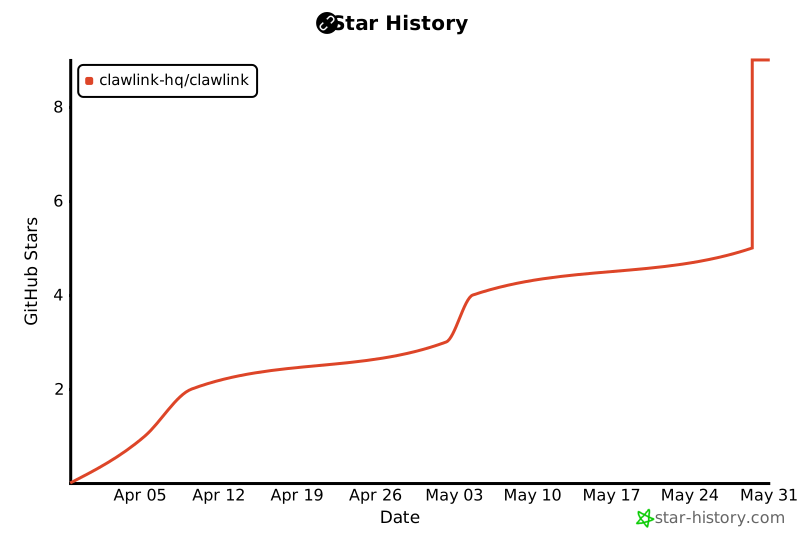](https://star-history.com/#ClawLink-HQ/clawlink&Date)
openclaw


Comments
Sign in to leave a comment